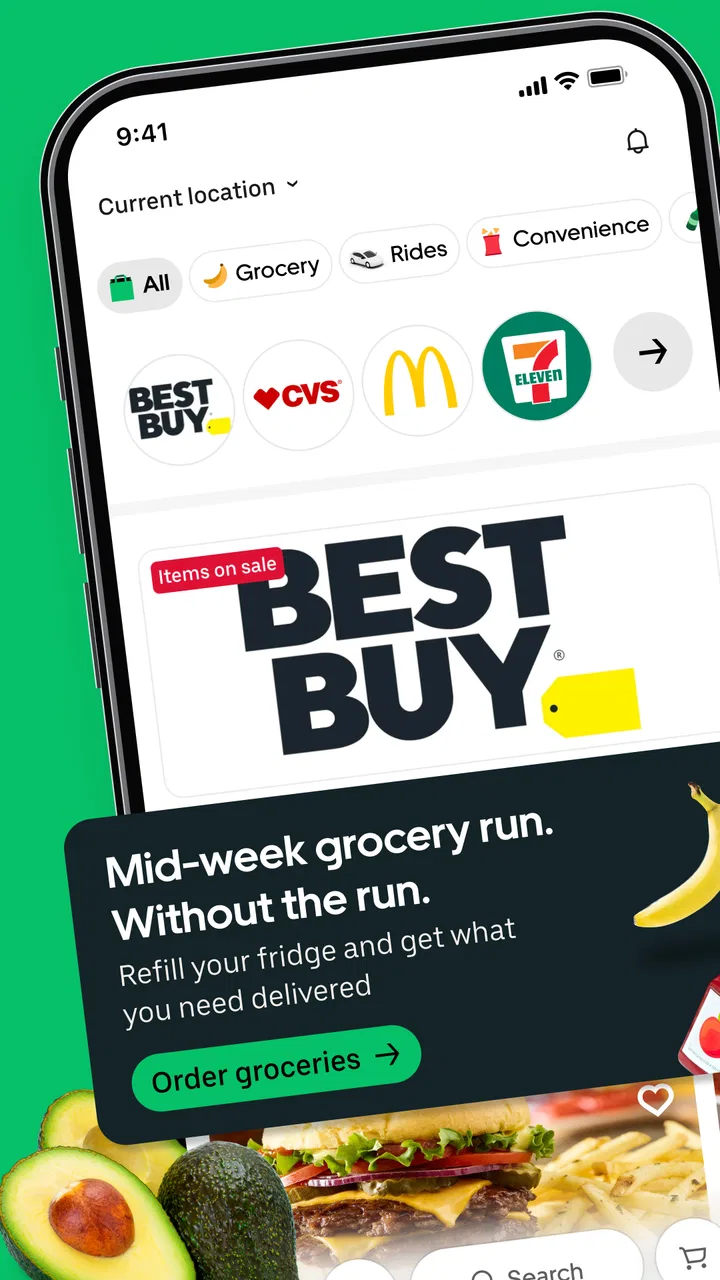
Uber Eats: Food and Grocery
- 4.6
- Rating
- 100.00M
- Installs
- Free
- Price

 Analysis by App-foxy
I use Uber Eats when the useful part of dinner is not cooking but solving the small problem around it: finding something nearby, ordering it from my phone, and keeping track of the delivery while I continue with the rest of my day. It is a Food & Drink app from Uber Technologies, Inc., and its reach is much broader than restaurant meals because it also lets users shop for groceries from local supermarkets for delivery.
That wider scope is what makes it interesting to me. It is not simply a digital takeaway menu. In the right situation, it can cover a forgotten breakfast ingredient, a late grocery run, or a meal ordered while I am away from home. At the same time, the experience depends heavily on a reliable connection, accurate location information, and the availability of nearby merchants. Those details matter more here than they would in an app that mainly stores recipes or restaurant phone numbers.
The app is free, has an Everyone age rating, and supports devices running Android or iOS versions compatible with its stated minimum OS of 9. Its current version is 6.301.10000. With a 4.6 average from around 7.1 million ratings and over 100 million installs, it is clearly a familiar choice for a large audience. I still would not recommend it automatically to everyone: the best option depends on whether you value convenience, local selection, predictable costs, or the ability to arrange food without depending on a live mobile connection.
In-Depth Coverage of Uber Eats: Food and Grocery
How the connection changes ordering
The first thing I notice when using a delivery app is that the useful information is constantly changing. Restaurants open and close, grocery availability shifts, delivery estimates move, and the app needs to know where the order should go. Uber Eats therefore feels less like a catalogue and more like a live service. A strong connection makes browsing feel immediate; a weak one turns even a simple order into a sequence of pauses and uncertain loading screens.
This matters before I have chosen anything. The home screen needs to establish what is available around my current delivery address, while search and category browsing need to return results that make sense for that location. If I am at home, I can take time to compare meals or groceries. If I am walking between appointments, I want the address and available options to settle quickly. The same app serves both situations, but the quality of the experience can feel very different depending on the network.
I find it helpful to treat the address as the first decision, not the final confirmation. When I am ordering for another person, I check the delivery destination before browsing too deeply. That prevents a common mistake: spending time choosing an item and only later discovering that the order is aimed at the wrong place. It is a small workflow change, but it is especially useful when I am switching between home, work, and someone else’s address.
Restaurant ordering is usually the more familiar use case. I can look through available menus, compare dishes, and decide whether the selection suits the moment. Grocery shopping is more practical and sometimes more demanding because the order is built from individual items rather than one prepared meal. A quick supermarket order can be convenient, but it requires more attention to quantities, substitutions, and the possibility that a particular product may no longer be available when the basket is processed.
The strongest advantage is not merely delivery; it is reducing the number of separate errands involved. I can use the same general service for a ready-to-eat meal and for everyday groceries, which is useful when my schedule is crowded. The trade-off is that the app cannot make local availability predictable. If a shop has limited stock or a restaurant is busy, the connection may show the situation quickly, but it cannot remove the underlying limitation.
Using it in real mobile situations
The app makes the most sense when I am already using my phone as a practical tool. Imagine arriving home late after work and realizing there is no breakfast food for the next morning. A restaurant order solves tonight’s hunger, while a supermarket order may solve the morning problem as well. I can place the order from the sofa, but the useful experience depends on having enough signal to browse, confirm the destination, and receive updates.
Another realistic case is ordering for a group in a place that is not my usual home. I might be visiting friends, staying somewhere unfamiliar, or helping someone who cannot go out. In that situation, location accuracy becomes part of the order itself. I prefer to enter or verify the destination carefully rather than assume that the phone’s current position is sufficient. A map position can be close while the practical entrance, building, or handoff point is different.
Mobile convenience also creates a temptation to rush. When I am hungry, I tend to choose the first appealing result and overlook the details underneath it. I get better outcomes by checking the basket slowly, reviewing the destination, and looking at the final order summary before confirming. This is particularly important for grocery orders, where one missed item can mean another trip to the store and defeat the reason for ordering.
Screen size is another quiet factor. Browsing a long restaurant menu on a phone is manageable, but comparing many grocery products can become tiring. I usually narrow the search before adding items, rather than scrolling through every available category. For a small, urgent basket, the phone format works well. For a large weekly shop, a conventional supermarket visit or a retailer’s own shopping experience may be easier if I want a broad visual comparison.
What happens when the connection or order goes wrong
No delivery app can make every stage reliable if the phone loses connectivity at the wrong moment. A page may take longer to load, a search may need repeating, or the app may appear to hesitate after I tap a control. My practical rule is simple: I do not keep tapping the confirmation action when the screen is unclear. I first check whether the order status has changed, because repeated attempts can create confusion about whether an order was submitted once or more than once.
You May Also Like

 AccuWeather: Weather Radar
AccuWeather Review: A Quick, Clear Forecast for Everyday Decisions
For everyday plans, the best forecast is the one you can understand quickly. AccuWeather makes rain timing, radar, and local conditions easy to act on, with a few trade-offs.

 Hill Climb Racing
Why Hill Climb Racing Still Turns Crashes Into One More Run
A tiny car, a bumpy hill and one more upgrade: Hill Climb Racing keeps resurfacing because its simple chaos makes every near-miss feel personal.

 AliExpress - Shopping App
AliExpress Makes Global Shopping Feel Personal, but Shoppers Bear the Risk
AliExpress turns a global marketplace into a pocket-sized discovery engine. Its reach is useful, its shopping loop compelling, and its trade-offs easy to miss.

 Lords Mobile: Kingdom Wars
Lords Mobile Is a Kingdom-Building Routine, Not a Quick Match
A case-by-case verdict on the building, battles, device demands, and social commitments that make Lords Mobile rewarding for some players and exhausting for others.

 PDF Scanner app - TapScanner
TapScanner Makes Paperwork Easier to Capture, Check, and Share
TapScanner makes scanning with a phone feel less like a rescue operation and more like a dependable step in getting work done. Its capture tools are useful, though not flawless.

 Block Blast!
Block Blast! Shows How Much a Puzzle Game Can Leave Out
A quiet grid game shows why puzzle players increasingly value instant clarity, repeatable skill and low-pressure play—and where the genre still needs to catch up.
More From Our News Desk
View All News


The same caution applies when moving between Wi-Fi and mobile data. If I begin an order indoors and then leave the building, the change in connection can interrupt the flow. I prefer to finish the important steps in one place: choose the address, review the basket, and confirm only after the screen has settled. This is not exciting advice, but it prevents a rushed mobile session from becoming a support problem.
Delivery tracking is valuable because it gives me a way to follow progress rather than simply wait. It is also one of the areas where connectivity is most visible. Updates depend on information moving between the app and the delivery process, so a delayed refresh does not necessarily mean that the order itself has stopped. When the display seems out of date, I avoid making assumptions from one frozen screen and give it a moment before taking action.
For grocery orders, recovery can involve more than a late arrival. A product may be unavailable, the basket may need adjustment, or the delivered selection may not match what I expected. I reduce the impact by keeping the order focused when I need certainty. If I am buying ingredients for a specific recipe, I avoid making the entire meal depend on one hard-to-find item. For routine household goods, I have more flexibility and can accept a less exact result.
There is also a human side to recovery. A delivery app can organize the order, but it cannot replace clear instructions at the destination. I write directions that help someone find the correct entrance without including unnecessary personal information. That is especially useful in apartments, offices, or shared buildings. A precise handoff note can save more time than repeatedly checking the map, provided the location itself is correct.
Keeping mobile data use sensible
Because the service is built around live browsing, maps, order details, and status changes, I use it more carefully when I am on a limited mobile plan. I avoid opening the app merely to browse without a purpose. Instead, I decide whether I want a meal or groceries first, then search with a narrower goal. This reduces the time spent loading images and menus that I will not use.
When I have dependable Wi-Fi, I prefer to compare options and build a larger basket there. I then use mobile data for the final checks and updates while away from home. That approach is not about treating the app as an offline tool; it is about choosing the right moment for the data-heavy parts of a live ordering service. The order still needs a connection when I submit it and when I want current status information.
I also pay attention to how much browsing is genuinely useful. Restaurant photos can help me decide, but they can also encourage endless scrolling. Grocery categories have a similar problem: the more I browse, the easier it is to add items without a clear plan. A short list makes the app faster to use and keeps the order closer to its original purpose. For recurring essentials, I find it helpful to remember the items I actually need before opening the app rather than constructing a shopping list from impulse.
Privacy and accuracy meet in the location experience. The app needs a delivery destination to function properly, but I do not assume that the phone’s automatic location is always the best choice. I review what is shown before confirming, especially in public places. Ordering to a workplace, hotel, or friend’s home is a different task from ordering to my own front door, and the app is only as useful as the destination information I provide.
Who benefits most from the wider service
I think Uber Eats is strongest for people who value time and flexibility over doing every purchase in person. It suits a busy worker who needs dinner after an unusually long day, a household that wants groceries without another trip, or someone arranging food for a person in a different location. The combination of prepared food and supermarket shopping gives it more everyday range than a service focused only on restaurant menus.
It can also be useful for occasional emergencies that are not serious emergencies: forgotten milk, an unexpected guest, a missed lunch break, or a day when leaving home is inconvenient. In these moments, the app’s value comes from reducing friction. I do not need to plan a full shopping trip or make several phone calls. I can inspect what is available, place the request, and continue with something else.
However, I would skip it when I need the lowest possible total cost and have time to shop locally. Delivery convenience can be less attractive than walking to a nearby restaurant or supermarket, particularly when I am buying only one inexpensive item. I would also choose a direct restaurant ordering channel when I already know the restaurant, want to support a specific ordering process, or need details that are clearer through that business’s own system.
For a large planned grocery shop, a supermarket’s own app or a traditional store may be better if I want a detailed loyalty experience, a very broad catalogue, or complete control over product selection. Uber Eats is more appealing when speed, local availability, and one familiar mobile workflow matter more than building the perfect weekly basket.
How it compares with ordinary alternatives
Compared with calling a restaurant, the app gives me a more visual way to inspect choices and keeps the order process in one place. I can browse without explaining every item aloud, which is convenient when I am in a noisy environment. The downside is that a phone call can sometimes resolve an unusual request more directly, while an app menu naturally limits me to the information and options presented on screen.
Compared with visiting a supermarket, grocery delivery saves travel and carrying time, but it gives me less immediate control over what is physically on the shelf. In a store, I can change brands, inspect packaging, and make a replacement decision on the spot. In the app, I need to think ahead about what matters most. If the exact product is essential, I am more cautious. If the item is routine, the convenience is easier to justify.
Compared with a restaurant-only delivery service, the grocery side makes Uber Eats more versatile for mixed everyday needs. I can use it for a meal today or ingredients and household basics for later. That versatility does not guarantee the best selection in every neighborhood, so I judge it by the merchants visible at my delivery address rather than by the app’s broad concept.
The large audience is reassuring in one limited sense: this is not an obscure experiment that I would expect only a few people to understand. The app has a 4.6 average from around 7.1 million ratings, with roughly 369 thousand written reviews. Those figures indicate substantial use, but they do not tell me whether my local restaurant, supermarket, delivery area, or network will provide a smooth experience. Local testing still matters more than popularity.
My final view on a connection-dependent service
Uber Eats works best when I approach it as a live coordination tool rather than a static food catalogue. Its restaurant ordering is familiar, while grocery delivery gives it a broader role in daily life. The app is free to install and available to an Everyone audience, making it easy to try, but the real decision is whether the nearby selection and delivery experience justify using a connected service instead of shopping or ordering directly.
I recommend it to people who regularly need food brought to them, switch between home and other destinations, or want one app for meals and local grocery errands. I especially appreciate it when an ordinary task becomes inconvenient: a late finish, a forgotten ingredient, or a household that cannot make a store visit. My best results come from checking the address first, keeping the basket focused, and confirming the order only after the connection and screen have caught up.
I would not make it my automatic choice for every purchase. A direct restaurant order, a supermarket visit, or a retailer-specific app can be better when cost, exact product choice, or personal interaction matters most. But for a connected phone workflow that combines prepared food with grocery delivery, the convenience is real when the situation is time-sensitive and the local options fit the need. That is the reason I keep it available, while still treating network quality and careful order review as part of the experience rather than minor details.
FAQs for Uber Eats: Food and Grocery
01What is Uber Eats and how does it work?
Uber Eats is a food delivery app that allows users to order meals and groceries from local restaurants and stores. Once you place an order, a delivery partner picks it up and brings it to your location. The app provides real-time tracking and estimated delivery times, ensuring a convenient and user-friendly experience.
02Is there a delivery fee and how is it calculated?
Yes, Uber Eats charges a delivery fee, which varies based on your location, the distance from the restaurant, and current demand. During busy times, there may be additional surge pricing. The app provides a breakdown of costs before you confirm your order, so you’ll know exactly what you’ll be paying.
03Can I schedule orders in advance on Uber Eats?
Yes, Uber Eats allows you to schedule orders in advance. You can place an order and select a delivery time that fits your schedule. This feature is ideal for planning meals or ensuring timely delivery for events or gatherings. Scheduled orders can be set for up to a week in advance.
04What payment methods does Uber Eats accept?
Uber Eats accepts various payment methods, including major credit and debit cards, PayPal, and Uber Cash. In some locations, you may also use cash upon delivery. The app allows you to securely store your payment information for faster checkout, and you can easily switch between payment methods as needed.
05How does Uber Eats handle incorrect or missing orders?
If you receive an incorrect or missing order, Uber Eats provides customer support to address the issue. You can report problems directly through the app, and they typically offer solutions such as refunds or re-delivery. The app aims to resolve issues promptly to maintain a positive user experience.
Pros
- Wide variety of restaurants and cuisines.
- User-friendly interface and easy navigation.
- Real-time order tracking feature.
- Multiple payment options available.
- Regular promotions and discounts.
Cons
- Delivery fees can be high in some areas.
- Occasional delays during peak hours.
- Some restaurants have limited delivery zones.
- Quality of food can vary by restaurant.
- Service fees may increase total cost.

Uber Eats: Food and Grocery
Gallery